
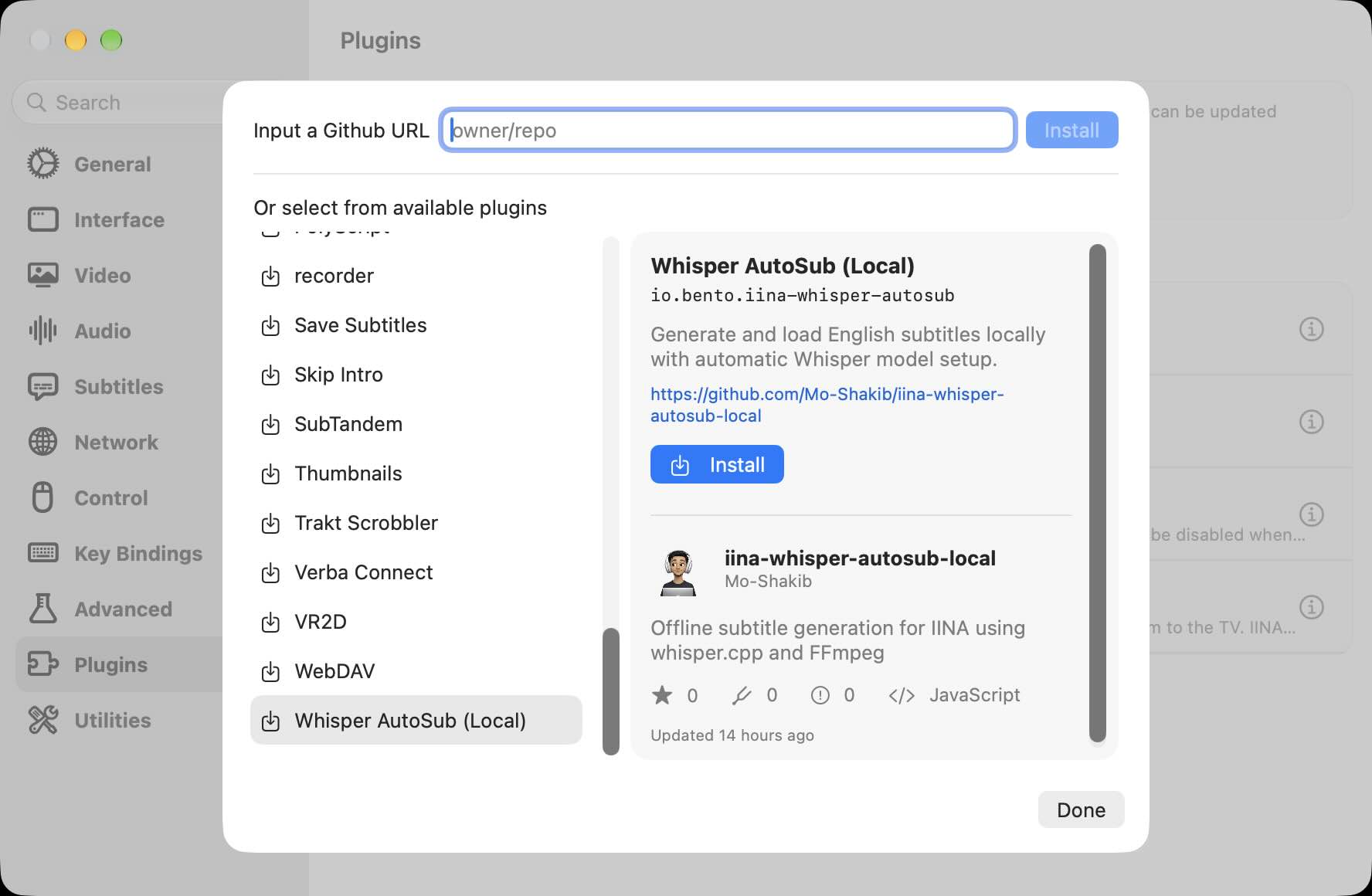
I often watch local videos that do not come with subtitles. Generating a transcript elsewhere, converting it to a subtitle file, and loading it back into a player works, but it interrupts the thing I wanted to do: watch the video. I built Whisper AutoSub (Local) to make that workflow available inside IINA.
The plugin takes the video currently open in IINA, generates a timed English .srt file using FFmpeg and whisper.cpp, and loads the finished track into the player. Transcription runs on the user’s Mac. There is no cloud transcription API or audio upload in the generation workflow.
From a video to a subtitle track
The workflow has two main stages. FFmpeg extracts the video’s audio as 16 kHz mono WAV, which whisper.cpp can process. Whisper then transcribes that audio and writes an SRT file with timestamps. By default, the plugin saves that file beside the video, so it can be reused or edited later. There is also an option to save it in the plugin’s data folder.
Once the file is ready, the plugin checks whether the same video is still open before loading the subtitle track into IINA. If the viewer has moved on to another file, it keeps the generated SRT without attaching it to the wrong video. That small check matters for a task that can take longer than a few seconds.
I added a standard subtitle action and a short-form option with a 15-character line length. The plugin can also attempt word alignment for more precise timing; if that step fails, it retries transcription without alignment rather than losing the whole run. The output is an ordinary SRT file, so users can inspect it and adjust the text or timing afterward.
Making setup and long-running work visible
Local transcription still needs a model. Before a run, AutoSub looks for a Base English model and verifies its checksum. If it cannot find a valid copy, it offers a one-time download of about 142 MiB. Users can set their own model path in Preferences. That initial download is the one network step; subtitle generation itself happens locally.
I wanted the wait to feel understandable. During audio extraction and transcription, IINA shows a progress message near the bottom of the video. An AutoSub sidebar shows the current stage, the video’s name, elapsed time, transcription percentage, and either the subtitle location or an error. The percentage follows progress reported by whisper.cpp rather than an estimated countdown.
The runner also has to behave well when work stops. Each run gets its own temporary directory. Cancelling a run stops the child process and removes temporary files; the runner also checks whether its IINA parent process is still alive. A completed subtitle is staged before being moved to its final path, so a failed or cancelled run should not leave a partial SRT presented as finished.
Available through IINA’s plugin browser
On October 28, 2026, the pull request adding Whisper AutoSub (Local) to IINA’s community plugin list was merged into develop. The maintainer’s follow-up comment confirms that the plugin can now be installed using IINA. The screenshot above shows its listing in the plugin browser.
To try it, install the local tools with brew install ffmpeg whisper-cpp. Then open IINA → Settings → Plugins, choose Install from GitHub, and enter Mo-Shakib/iina-whisper-autosub-local. Enable the plugin, open a local video, and start subtitle generation from the Plugin menu or with Option+S. The README has the full setup instructions, preferences, and keyboard shortcuts.
This release generates English subtitles for local video files. Accuracy and timing depend on the recording and the model, so the SRT may still need a human pass. For me, the useful part is that the entire path from audio extraction to a loaded subtitle track now lives in the player, with progress and cancellation handled along the way.
The source code is open on GitHub. Issues and contributions are welcome.